
Stop handling artwork: the web-to-print editor built for volume
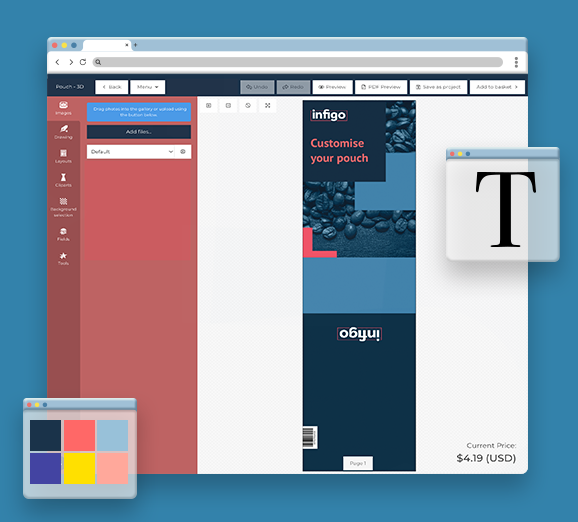
MegaEdit is Infigo’s production-grade web-to-print editor and personalisation engine. It sits between your storefront and your press, where customers configure products, templates enforce brand rules, and every job arrives production-ready.
Trusted by commercial printers managing thousands of personalised jobs every month.





The real cost of personalisation at scale
Most print businesses reach a ceiling. Not because of press capacity. Because of everything that happens before the job gets to the press.


Every personalised product creates manual work
Every brief that arrives by email, every artwork file that needs checking, every round of revisions before a job can go to press — that’s time your team spends on administration instead of production. At low volumes, you absorb it. At scale, it breaks you.

You can’t give customers freedom without losing control
When customers order personalised products, they need guidance, boundaries, and guardrails. Without them, you get wrong fonts, off-brand colours, and files that can’t go to press without rework. So you stay in the loop — and the loop never closes.

Complex products mean longer setup and more support
Business cards with variable data. Packaging with 50 SKU variants. Corporate portals serving 200 locations. Each one is a configuration challenge. If your current setup requires manual intervention for every product type, your team’s capacity is your growth ceiling.

You’re doing work your system should be doing
Chasing files. Correcting errors. Re-entering order data. Running artwork checks manually. Every hour your team spends on this is an hour not spent on a new customer, a new product line, or a new portal.
The personalisation layer between your customer and your press
MegaEdit is Infigo’s browser-based personalisation engine. It sits inside the Infigo platform between your storefront and your production workflow — the point where your customer configures their product, within the boundaries you’ve set, and a production-ready file comes out the other side.
It isn’t just a design tool, and it isn’t a Canva clone. It’s a web-to-print editor built as controlled, configurable infrastructure for print production.
Three things it does



Template in. Production-ready file out. No manual steps in between.

-
01
Template Setup
You build your product template in MegaEdit or import directly from Adobe InDesign via the Invent plugin. You define which fields are editable, which are locked, what content options are available, and how the output file is generated. This happens once, not every order.
-
02
Customer Personalisation
Your customer opens the product, fills in their details, uploads images, selects variants — all within the parameters you’ve set. They preview the result before they order. They can save and return, or continue to basket directly.
-
03
Output Generation
When the job is submitted, MegaEdit generates a print-ready output file. No manual artwork step. No prepress intervention for standard jobs. No back-and-forth.
-
04
Workflow Integration
The job passes through Infigo’s order management system and into your production workflow. If you’re using a MIS — Tharstern, printIQ, CERM, Site Flow — the data goes with it. Your press gets what it needs to run the job.
Every Component Built For Production, Not Just Presentation
You decide what moves, what’s locked, and what disappears.
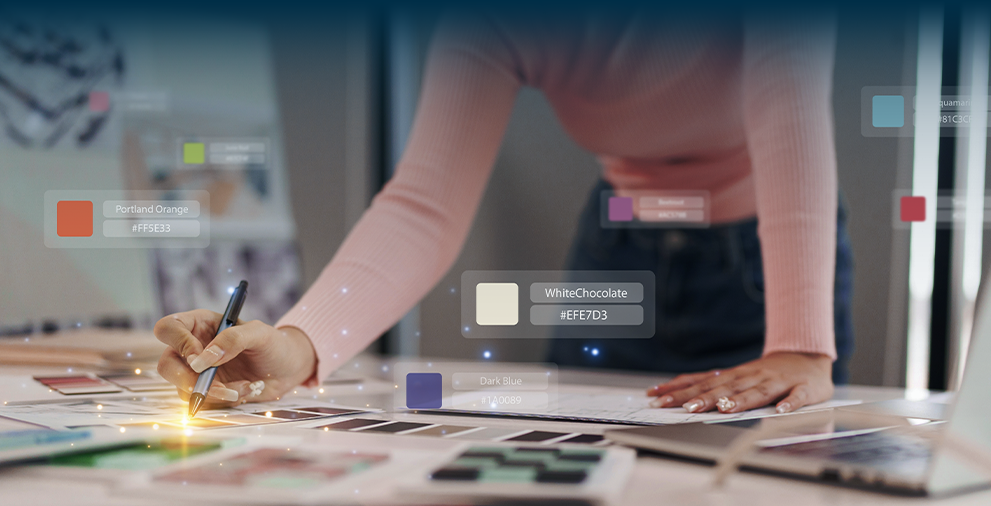
Every text field, image area, colour selector, and layout option is under your control before a customer ever sees the product. You can lock brand-critical elements completely, restrict users to predefined options, or give full freedom in specific areas. The rules you set at template level are enforced on every single order — at any volume.
One template. A thousand variations. No manual work.
Upload a CSV or spreadsheet, map columns to template fields, and generate a separate personalised output for every row. Business cards for an entire team. Certificates for a full cohort. Serialised labels for a product run. MegaEdit validates the data, generates previews per record, and produces the output files. Your team doesn’t touch it.
Your designers stay in InDesign. Your templates come straight into MegaEdit.
Invent is Infigo’s free Adobe InDesign plugin. Your design team builds templates in the software they already know, defines configurable fields inside InDesign, and exports directly to MegaEdit. Fonts, backgrounds, clip art sets, and canvas logic all transfer automatically. No recreation, no manual import, no translation layer.
Customers see exactly what they’re ordering. So do you.
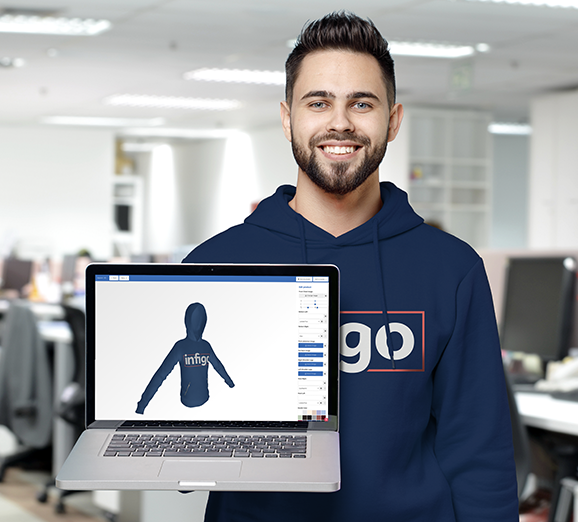
MegaEdit’s 3D preview renders personalised artwork onto a real product model in real time. As the customer edits text or swaps an image, the 3D view updates immediately. Supported product types include packaging, labels, cups, apparel, and promotional merchandise. Available as a side-by-side 2D/3D view or as a form-driven 3D-only interface — useful for complex products where the canvas itself isn’t the primary UX.
One customer input. Multiple products updated at once.
MegaEdit Variables let a single data point — a name, a date, an image — sync across multiple products in the same order. A customer enters their details once, and every product in the bundle updates. Kit products, cross-sells, and coordinated sets all stay consistent. Variable updates also refresh product thumbnails automatically.
For customers who supply their own artwork.
Not every customer wants to design online. MegaEdit’s Upload UI lets customers supply print-ready files directly — PDF, PNG, JPG, or TIFF — through a structured drag-and-drop interface. The canvas sizes dynamically to the uploaded artwork. Customers can preview, save, or continue to checkout without entering the full editor. Both upload-first and design-online workflows can coexist in the same storefront, served from the same product catalogue.
Packaging. Multi-page documents. Products that other editors won’t touch.
Multi-page editing with configurable page limits. Dynamic layouts that respond to content length. Barcode generation — QR codes, Data Matrix, standard formats — all configurable per field. Spot colour support for CMYK and brand-matched palettes. Subscript and superscript formatting preserved from InDesign. Text on curve for typographic treatments on labels and merchandise. Parametric packaging with adjustable dimensions that update the 3D model in real time. If it’s complex, MegaEdit is built for it.
Reduce the work customers have to do — and the work your team has to check.
MegaEdit’s script-enabled automation layer handles the repetitive parts of personalisation automatically. Prepopulate Data pulls registered user information — name, company, address, contact details — directly into template fields when the editor opens. Customers don’t retype what you already hold. Free Autofill populates empty image fields across multi-page products automatically, so customers building a photobook or calendar don’t have to place every image manually. Output rotation ensures files are delivered in the correct orientation for production, handled during output creation rather than as a separate post-production step.
The difference
Where most web-to-print editors stop, MegaEdit is just getting started.
Most online design tools give customers a canvas and some fonts. That’s enough for a greeting card. It’s not enough for a commercial print operation.
How print businesses use MegaEdit

Staff business cards at scale
A commercial printer’s corporate client has 400 staff across 12 offices, each with slightly different details. Instead of handling 400 artwork files, the client uploads a CSV and generates every card from a locked template.

Corporate marketing portals
A franchise group needs 200 locations to order personalised marketing materials — flyers, posters, window graphics — without going off-brand. MegaEdit templates lock the brand layer and expose only location-specific fields.

Packaging with 3D preview
A labels and packaging printer needs customers to feel confident before committing to a run. MegaEdit’s 3D preview shows personalised artwork on a realistic product model in real time. Customers edit, see the result on the actual pack shape, and order.
What Changes When Personalisation Stops Being Manual

Significantly less manual artwork handling
When customers configure their own products within controlled templates, the artwork step is largely removed from your team’s workflow. Jobs arrive pre-configured and production-ready. The team processes orders, not files.

More orders. Same headcount.
Template-driven personalisation scales without scaling your team. One printer using Infigo moved from 10 jobs per day to 30+ — without adding staff. Sun Print Solutions eliminated 50+ hours of manual work per week after connecting their storefront to their MIS through Infigo.

Fewer errors. Fewer reprints.
When customers work within the rules you’ve defined, off-brand files and incorrect specifications don’t reach your press. Template logic enforces the right output before the job is ever submitted. Aspect ratio warnings and preview tools catch problems before checkout, not after production.

Customers that don’t call for standard jobs
Self-service ordering reduces support burden on your team for repeat, template-driven products. Customers personalise, preview, approve, and order without human intervention at your end. Prepopulate Data removes even the data-entry step for returning users.

Revenue from personalisation at scale
Businesses that have deployed controlled portal-based ordering with Infigo report increased print order volume from those clients. Personalisation drives repeat business. Embedded storefronts are hard to leave. Research shows 88% of printers who successfully implemented portals for clients saw an increase in print order volume.

Artworking costs removed from repeat jobs
For print businesses running branded portals, template-driven personalisation can eliminate agency or in-house artworking costs from products that previously required custom artwork for every order — a documented saving of over £1.3 million across one Infigo customer relationship over seven years.
Part of your production infrastructure
MegaEdit doesn’t end at the editor. Neither does the workflow.
MegaEdit sits inside Infigo, so your web-to-print editor connects to the systems already running your operation. When an order leaves MegaEdit, it flows into the infrastructure around it.
Production & MIS
PrintIQ, Tharstern, CERM, EFI Site Flow, Enfocus Switch — job data, ticket creation, and production routing handled automatically through Infigo Connect.

Template & Design
Infigo Invent connects MegaEdit to Adobe InDesign. Your design team builds and maintains templates in their existing workflow. Fonts, resources, and logic transfer automatically.

File Delivery
Infigo Sync delivers artwork files via hot folders to local production environments automatically. No manual file handover between storefront and press.

Embed & Extend
MegaEdit can be embedded in third-party websites and platforms via Infigo’s iframe integration — retaining the full production, MIS, and approval connection behind the scenes.

Real Operations. Real Results.
Sun Print Solutions
A US commercial printer needed to eliminate manual order processing and connect their storefront directly to production. Using Infigo with MIS integration and MegaEdit-driven B2B storefronts, they transformed a heavily manual workflow into a largely automated one.

Think Patented
A US commercial print and marketing services business needed a platform that could unify fragmented tools and support growth across multiple product lines and client workflows.
Frequently Asked Questions
Didn’t find the answer?
No worries! If you have any other questions or need more information, feel free to reach out directly. We’re always happy to help and make sure you feel confident. Let’s chat!
-
A web-to-print editor lets your customers personalise print products in their browser, within templates you control. MegaEdit is Infigo’s web-to-print editor. Customers edit only the fields you allow, preview the result and order. MegaEdit then generates a print-ready file and sends the job on to production, with no manual artwork step for standard jobs.
-
Yes. MegaEdit comes as standard with every Infigo licence, with no separate editor fee. Infigo prices each set-up around your storefronts, integrations and implementation scope rather than a public price list. A demo is the quickest way to get a figure based on your products and order volumes.
-
You set up each template once, not for every order. Your team decides which fields customers can edit and how MegaEdit builds the output file. If you design in Adobe InDesign, the free Invent plugin brings templates straight in. Sun Print Solutions launched 10 live B2B storefronts within 47 days.
-
Yes. MegaEdit sits inside Infigo, which talks to printIQ, Tharstern, CERM, Site Flow and Enfocus Switch through Infigo Connect. Job data from the editor flows into production without anyone re-keying it. Infigo Sync can also deliver artwork files to hot folders in your local production environment automatically.
-
Yes. Invent is Infigo’s free Adobe InDesign plugin. Your designers mark up editable fields inside InDesign and export the template straight into MegaEdit. Fonts, backgrounds, clip art sets and canvas logic transfer with it, so you don’t rebuild your artwork library from scratch. Your design team keeps working in software it already knows.
-
Yes. In MegaEdit you choose what customers can change: text fields, image areas, fonts, colour palettes and layouts. Lock brand-critical elements completely, limit others to preset options, or open specific areas up. The rules apply to every order, so a 200-location franchise gets brand-compliant output without central sign-off on each job.
-
Template rules stop most mistakes before they happen, because customers can only change what you allow. They preview the finished product before ordering, and warnings flag problems such as aspect ratio or canvas size changes before checkout. Admins can set positional error checks per product, so designs that deliberately run past the canvas don’t trigger false alerts.
-
Yes. MegaEdit’s Upload UI accepts PDF, PNG, JPG and TIFF files through a drag-and-drop screen, and the canvas resizes to fit the artwork. Upload and design-online can run side by side in one storefront. Eshuis now takes 90% of orders through PDF upload, and a three-variant order dropped from about three minutes to 30 to 40 seconds.
-
Yes. Upload a CSV or spreadsheet, map each column to a template field, and MegaEdit creates a separate personalised file for every row. It validates the data and shows a preview for each record first. Business cards for a 400-person team, certificates for a full cohort or serialised labels all run as one batch.
-
Yes. MegaEdit’s 3D preview puts the customer’s artwork onto a realistic product model and updates as they edit. It supports packaging, labels, cups, apparel and promotional merchandise, either alongside the 2D canvas or as a form-driven 3D-only view. With parametric packaging, customers change the dimensions and watch the model update in real time.
-
Yes. MegaEdit can run inside third-party websites and platforms through Infigo’s iframe integration. Your customers personalise products on your site, while every order still passes through Infigo’s production, MIS and approval connections behind the scenes. Infigo Academy covers the set-up steps.