Packaging and label orders rarely fail because a printer cannot produce them. They fail earlier, when a customer receives a dieline, tries to interpret it, sends in artwork that does not meet production requirements, and waits for someone to identify the problem.
That is a familiar issue across labels and packaging. Customers may know what they want the finished product to look like, but they do not always understand bleed, safe areas, barcode rules, type sizes, artwork placement or unwind direction. The result is a cycle of emails, revised files, manual checks and repeated proofs, often before the order has even reached production.
Print proofing software can help, but showing customers a proof is only part of the answer. The businesses improving this process are also making requirements clearer, catching problems earlier and connecting the customer’s approval to the artwork and order information that reach the press.
- ▶Artwork problems often start before the file arrives. Clear product information and practical guidance help customers submit suitable artwork without needing to become print experts.
- ▶A proof, customer approval and technical preflight serve different purposes. Signing off a design does not automatically mean the file is ready for production.
- ▶Print proofing software works best when the approved artwork stays connected to the correct product, specifications and order information.
- ▶The Packaging Lab, Blue Label Packaging Company and Eshuis demonstrate three different approaches: building around online ordering, connecting the storefront to production, and simplifying submission for customers with prepared artwork.
- ▶A better process does not remove every conversation or revision. It reduces avoidable back-and-forth caused by unclear requirements, missing information and disconnected versions.
The problem starts before the file arrives
Infigo’s sales team spoke to more than 80 converters and printers this year, and proofs and approvals came up in over half of those conversations.
For many converters, artwork submission is still a manual process. A customer receives a dieline, creates artwork offline, sends in a file and waits for feedback. If the artwork is unsuitable, the process starts again.
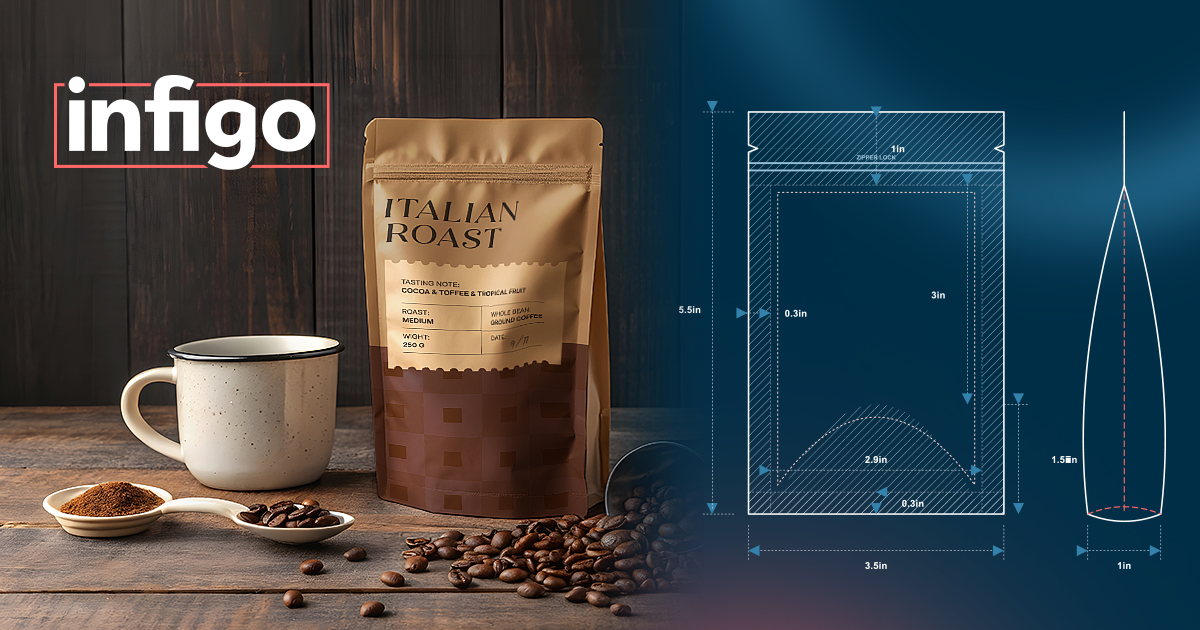
For one flexible-packaging converter offering more than 800 pouch configurations, the challenge was helping customers turn a dieline into artwork they could confidently submit for production. A lengthy instruction file, the business explained, “completely overwhelms a smaller customer.”
days
A label converter without preflight described the issue from the other side. It could take up to five days to tell a customer that artwork was unusable.
These are different symptoms of the same gap. Customers need guidance before submitting their files, while production teams need reliable information before committing a job to the schedule.
Approval is not the same as production readiness
A customer may approve the appearance of a design without knowing whether the file meets the requirements for press.
That distinction appeared repeatedly in the research. A Canadian label and packaging producer explained that its admin team still reviews orders after customer sign-off. Another packaging producer described correcting barcodes and undersized type because designers did not always understand its specifications.
Proofing, approval and preflight therefore have different jobs:

Automated checks can bring that technical feedback earlier in the process. In a configured workflow, a file can be checked before checkout is completed, rather than every issue waiting for manual inspection in prepress.
But a successful technical check does not tell the customer whether they chose the right product or approved the right wording. Equally, customer sign-off does not mean every production requirement has been satisfied.
The workflow needs to account for both.
Email moves the proof, but not always the context
Email is familiar, but the information surrounding an approval can become fragmented.
A proof sits in one message, a requested change in another, and a revised specification somewhere else. Someone then has to establish which version was approved and whether the production file reflects the final decision.
One US commercial print provider described the consequence directly: the file that reached the press was not the one the customer had seen and approved.
The lesson is not that every emailed proof creates a problem. It is that approval needs context:
Which artwork version, for which product, with which specifications?
Three Infigo customers illustrate different ways to address that wider journey, from making packaging easier to order to connecting the storefront with production.
The Packaging Lab: making complexity feel simple
The Packaging Lab built its business around online ordering from the beginning.
Founded in 2019 by Dan Niblo and Jeff Searson, it set out to make custom flexible packaging easier to buy, with no minimum order quantities and turnaround as fast as 24 hours.
During a panel discussion with Infigo Managing Director Alex Bowell, Dan explained how fundamental web-to-print was to that ambition:
Dan Niblo, Co-founder, The Packaging Lab
The first purchase that we made was to find the right web-to-print solution and develop the website, so that as soon as it was in place we were able to take orders online.”
Infigo provided the web-to-print foundation, but making the experience intuitive required ongoing work. Dan’s team discovered that understanding a process internally did not mean customers would find it straightforward.
Dan Niblo, Co-founder, The Packaging Lab
We made the assumption that because it seemed easy to us, customers would understand it. And we needed to change.”
Working with Infigo, The Packaging Lab refined its website to anticipate questions and explain the ordering process more clearly.
Its rapid turnaround also depends on production capability, including equipment the business has modified or built.
The website does not make manufacturing simple. It helps make a complex service accessible.
That is an important distinction for any converter: simplify the experience for the buyer without overlooking the work required behind it.
Blue Label Packaging Company: connecting the order to production
Blue Label Packaging Company faced a different challenge. It already had an established operation producing custom labels, shrink sleeves and printed cans.
Andrew Boyd described a customer-service model that felt automated to buyers but relied on considerable effort from people behind the scenes.
Introducing e-commerce was an opportunity to change that, but the ambition went beyond collecting orders online.
Andrew Boyd, President, Blue Label Packaging Company
What we wanted from the start was for that order to be built correctly in our system and flow directly into our production processes.”
Working with Infigo meant examining the checks and information needed to support that handoff. Andrew described a setup involving a live job in CERM, activated when the customer completed the purchase.
Infigo’s CERM integration supports functions such as retrieving estimates, uploading artwork, creating products and passing orders into the MIS. For converters, those connections can make online ordering part of the existing operation rather than a separate queue requiring manual re-entry.
The implementation also prompted Blue Label Packaging Company to reconsider its processes and how it presented choices. Customers wanted flexibility, but not an overwhelming list of options.
The lesson is that integration is not only a technical exercise. It is an opportunity to decide what information customers need, what the system can handle and where human expertise still matters.
Eshuis: removing steps customers do not need
Eshuis offers another useful perspective: a better artwork journey does not always mean giving customers more tools.
Many of the Dutch label converter’s enterprise customers arrived with prepared, pre-approved PDFs. Requiring them to take those files through an editor added unnecessary steps.
Working with Infigo, Eshuis introduced a dedicated PDF-upload route alongside its editing experience. Around 90% of orders now use the upload path, with the editor retained for customers who need to make changes.
Thomas de Munnink, E-commerce Manager at Eshuis, explained the difference:
Thomas de Munnink, E-commerce Manager, Eshuis
When they have three designs, they are finished in maybe 30, 40 seconds. It used to be like three minutes.”
Infigo’s artwork-upload and editing capabilities allowed Eshuis to offer different routes for different tasks. Customers with prepared files could submit them directly, while those needing an adjustment still had an editing option.
The improvement came from understanding how customers already worked, rather than making everyone follow the same sequence.
For converters reviewing their own process, that raises a useful question: which steps help customers make a better decision, and which simply reflect how the system was originally configured?
What a better approval process looks like
These stories share a principle: address uncertainty at the point where it arises.
Before artwork submission, explain the product choices and file requirements.
During submission, identify technical problems where configured checks can help.
At approval, make clear which version the customer is accepting.
At production handoff, preserve that decision alongside the relevant order information.
Alex Bowell puts the opportunity this way:
Alex Bowell, Managing Director, Infigo
At Infigo, we see it with converters every week: every proof round is a question the order didn’t answer. The converters doing this well put those answers in front of the customer, so the job that reaches production is the one the customer actually approved.”
Not every revision can or should disappear. Some packaging projects need discussion, specialist advice and several design iterations. The aim is to reduce avoidable loops caused by unclear requirements, missing information or disconnected versions.
Print proofing software is most useful when considered within that wider process. A clearer preview helps, but so does a better product explanation, an earlier file check or one fewer unnecessary step.
The opportunity is not simply to collect approval faster. It is to give customers a clearer route to the right decision and production teams a more reliable order to work from.