Automated preflight: stop fixing files, start printing them
Infigo checks every customer file against the job that was actually ordered, before they reach checkout. Errors get caught, corrected or flagged automatically. Your prepress team only ever sees print-ready files.
The job is fine until it isn't
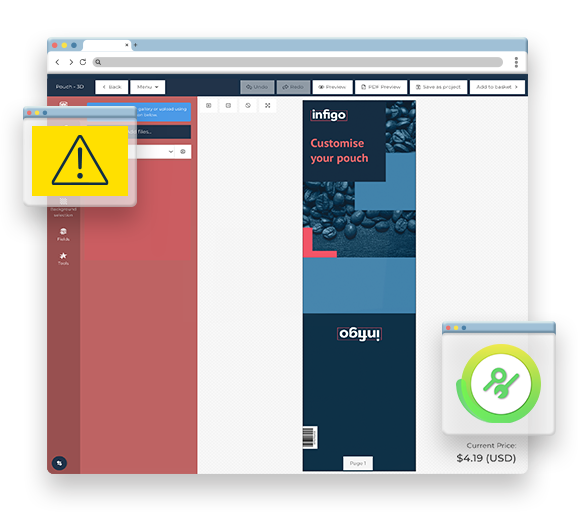
A job makes it through checkout, into the queue and onto the press. Then someone notices the artwork was RGB, the bleed was missing, or the fonts were never embedded. The reprint costs money and the delay costs a customer.
It is getting harder. More customer artwork now comes from tools like Canva and Adobe Express, built by people who have never prepared a file for print. Prepress touch time, not press time, is what caps output in most shops running real volume.
Infigo moves that check upstream. Because the storefront already holds the product specification, every file is validated against the job that was actually ordered, not against a generic profile.
File in. Print-ready file out. No prepress step in between.

-
01
Warnings while the customer designs
In MegaEdit, the editor flags problems during the design session itself. Low-resolution images, content sitting outside crop marks, and colour space issues surface while the customer is still working. Colour space handling passes through to Enfocus PitStop, since MegaEdit builds the layout rather than processing colour profiles itself.
-
02
The check at submission
When a customer uploads a print-ready PDF, or finishes a MegaEdit layout, Infigo runs the assigned Enfocus PitStop profile. This happens before checkout completes. The customer gets a pass or fail result, a warning, or an auto-corrected file, on screen.
-
03
Correction and routing
Where PitStop can fix an issue, it fixes it without an operator. The validated file routes through Infigo Sync to the correct output device, and the order status carries the preflight result into your management information system (MIS).
Every check built for production, not just presentation
Preflight is not one feature. It is a set of components you configure to match how your operation runs.
Catch it while they are still designing
MegaEdit flags low-resolution images and content outside crop marks during the design session, before the customer reaches an upload step. Colour space handling passes through to Enfocus PitStop.

The check runs before they pay
Infigo runs the assigned PitStop profile at submission, before checkout completes. Supported on Multipart Upload products and on MegaEdit in both Editor and Upload configurations.

Fixed without an operator touching it
Where PitStop can correct an issue, it does. RGB to CMYK conversion, adding missing bleed, and similar problems with one correct answer are handled automatically. A Check profile validates, a Fix profile corrects.

One profile instead of one per variant
Sell booklets in A5, A4 and A3 and the static approach needs three profiles to build and maintain. Infigo passes the ordered dimensions into one profile at runtime through a Job Ticket XML file, so A4 validates against 210 by 297 and A5 against 148 by 210. Change the rule once and every size inherits it.

A record of what happened to the file
Infigo can generate a PDF report for the customer to download, or a PDF and an XML report together, listing every warning raised, error found and fix applied.
Do not re-check what already passed
A storefront reorder references the already-validated file and skips the check. Products categorised as approved reprint items can have preflight suppressed altogether.

Enforce rules that do not exist out of the box
Infigo runs standard PitStop profiles rather than a restricted subset, so Action Lists work too. Where a native check does not cover a requirement, an Action List builds the logic instead.
From validated file to the right press
Infigo Sync routes the passed file to the correct output device. The preflight result travels with the order into Tharstern, printIQ and CERM through native plugins. Webhooks and the Connect REST API expose the same status for anything custom.

Trusted by print businesses running real volume





What this looks like in practice
Impact
What changes when preflight stops being manual
An operator opens every incoming file and checks it by hand.
Every file is checked automatically at submission.
Problems surface in prepress, after the customer has paid.
Problems surface on screen, before checkout completes.
Skilled prepress time goes on RGB conversions and missing bleed.
Routine fixes are applied automatically, with no operator involved.
A broken file can sit in the queue undiscovered until morning.
Only validated files enter the queue, so lights-out running is safe.
Every product variant needs its own profile to build and update.
One profile resolves per order, and a rule change propagates everywhere.
Job details are re-keyed from files that may still be wrong.
The job ticket is populated from a file that already passed.
What changed when TAG stopped fixing files by hand

Talient Action Group is a print and marketing provider in Manchester, New Hampshire, part of a group that also includes a marketing agency and a creative studio. Before Infigo, corporate clients emailed print PDFs and TAG’s team preflighted and corrected every one by hand.
It was the biggest bottleneck in the business, and Digital Services Manager Marc Forest is direct about what it cost them.
Today those same clients order through their own branded portal, and every file is validated before it reaches production.
Frequently Asked Questions
Didn’t find the answer?
No worries! If you have any other questions or need more information, feel free to reach out directly. We’re always happy to help and make sure you feel confident. Let’s chat!
-
Automated preflight software checks print files against a defined specification without an operator opening them. It validates colour space, resolution, fonts, bleed, trim geometry and PDF structure, then either rejects the file, corrects it automatically, or flags a warning. Infigo runs that check inside the ordering process, before the customer completes checkout.
-
Infigo’s preflight runs on Enfocus PitStop, the industry standard engine. What Infigo adds is where it runs: inside the ordering process, checking each file against the specification the customer actually ordered. You license the Enfocus software separately and build profiles in PitStop Pro, then upload the .ppp file into Infigo. Existing profiles work unchanged.
-
Anything the engine can check. Infigo runs standard .ppp profiles rather than a restricted subset, so the full check set is available: page and layout geometry, colour spaces, image resolution, fonts, trim, crop and media boxes, and PDF structure and standards compliance. Where a native check does not cover your requirement, an Action List builds the logic instead.
-
At submission, before checkout completes. This is front-of-house preflight: the customer uploads or finishes their file, Infigo runs the assigned profile, and the result appears on screen before payment. In MegaEdit, quality warnings surface earlier still, during the design session itself. Back-of-house checking after the order is placed is also possible.
-
No. Connect: PitStop runs natively inside Infigo and does not require Switch. If you already run Switch, the two work together: the customer-facing check happens in Infigo at the point of order, and heavier prepress automation continues downstream in Switch. Connect: Switch is a separate integration for job, asset and status exchange.
-
Yes, and there is no fixed list of what can be mapped. Any variable defined in a PitStop profile can pull from Infigo at runtime through a Job Ticket XML file: customer-selected attributes like stock or lamination, specification attributes like page count and orientation, or fixed constants. One profile then enforces trim, bleed, colour space and page count across an entire catalogue.
-
Not unless you want them to. A storefront reorder references the already-validated file and bypasses the check, so a repeat buyer is never blocked by a rule that tightened since they last ordered. Products categorised as approved reprint items can have preflight suppressed entirely, which keeps known-good static PDFs out of the queue.
-
Preflight operates on PDFs. Multipart Upload products can additionally accept supporting assets including PSD, AI, EPS, JPEG and PNG. The default upload ceiling is 5 MB, which administrators raise in Infigo settings. For print-ready multi-page PDFs, Infigo recommends setting it to 100 MB or higher. MegaEdit .mex packages have a separate, independently configurable limit.
-
Multipart Upload products, and MegaEdit in both Editor and Upload configurations. In practice, any product where the customer supplies or builds a print-ready PDF. If you have a product type not listed here, it is worth asking, because the documented list covers the common cases rather than every possible configuration.
-
Yes. Native plugins for Tharstern, printIQ and CERM carry the order status across. For anything else, webhooks and the Connect REST API expose the validation state, and Connect: Flow maps it into a custom schema. The validated file itself routes to the correct output device through Infigo Sync.
-
Uploading profiles and assigning them to products is done in the Infigo admin under Configuration > Resources > PDF Profile Setup. Dynamic profile configuration, where product attributes feed the profile at runtime, is covered in a structured technical workshop. Infigo also offers professional services if you would rather have profiles authored for you.
-
Connect: PitStop is a paid module rather than a core platform feature, priced on request. Most customers add it once their storefront is live and order volume justifies it, though operations already losing prepress time to file errors typically include it from launch. The Enfocus licence is purchased separately.
See preflight running against your own product specifications.
Book a demo and we will show you the check, the correction, and the handoff to production.